Your scaffolding leaves the yard on Monday. By Thursday, nobody knows which site it is on. Meanwhile, a new customer calls and asks for the same set.
Every rental owner in the city has lived this moment. An ERP for rental business Dubai solves the problem at its root. It tracks each item from dispatch to return inside one system. At Al Murooj Solutions, we build this kind of system for UAE rental companies. In this guide, we walk through each stage and show where things usually go wrong.
Why Spreadsheets Break Down in Rental Operations
Most rental firms start with Excel. At first, it works well. However, the fleet grows, and the sheets multiply. One file tracks stock. Another holds contracts. A third lists invoices.
Soon, your team updates one sheet and forgets the others. As a result, the numbers stop matching. A supervisor says a unit is free. The yard says it is out. Customers notice the confusion, and trust drops.
Rental work moves fast. Equipment travels between yards, sites and workshops. Therefore, you need one record that updates the moment something changes. That is where rental ERP solutions make a real difference.
Step 1: Check Availability Before You Promise Anything
Every rental starts with a booking call. The customer needs a generator next week. You must answer quickly. However, you cannot answer if you cannot see your stock.
The reservation module shows what is free, what is booked and what sits in the workshop. Your team sees this in seconds. Because it handles short-term and long-term rentals, one screen covers a weekend event hire and a six-month site contract.
Automated notifications also help. For example, the system reminds staff about upcoming bookings. Therefore, nobody misses a task. Double bookings drop, and your promises finally match your real stock.
If you want ERP for inventory management that goes beyond a simple stock count, start here. Each asset gets its own record. Usage and maintenance history stay attached to it.
Step 2: How ERP for Rental Business Dubai Records Every Dispatch
Dispatch is where many losses begin. A truck loads five items. The paperwork lists four. Later, nobody can prove what left the yard.
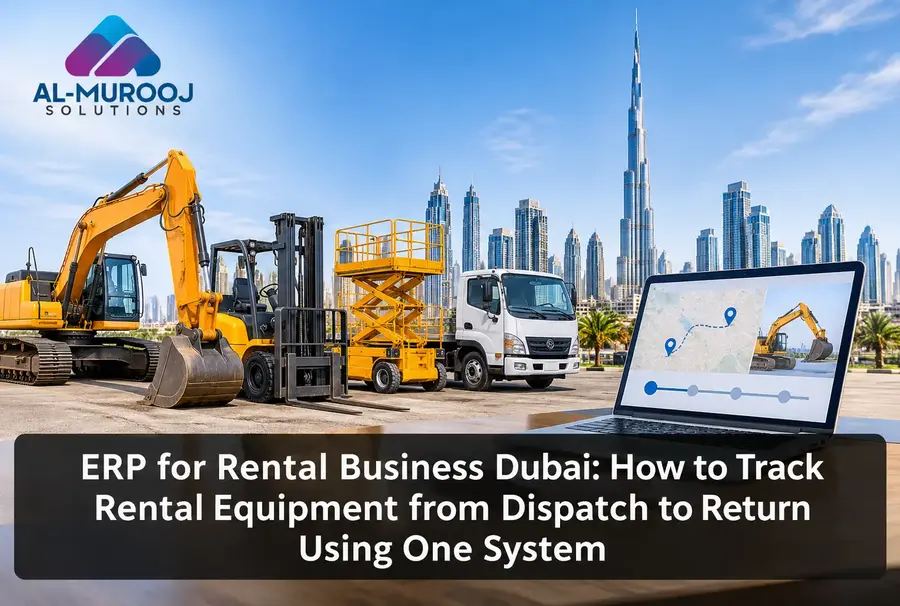
With an ERP, your team links every dispatched item to a contract and a customer. The system records the date, the site and the condition. As a result, you hold proof of what went out.
Customer data sits in the same place. Before the truck leaves, staff can see rental history, past orders and contact details. In addition, they can serve repeat clients faster.
Step 3: Keep Track of Equipment While It Is on Site
Equipment on a customer site is still your asset. However, it is easy to lose sight of it. Rentals often get extended by a phone call. Someone says, “Keep it another week,” and nobody updates the contract.
That small gap costs real money. You deliver the service, but the invoice stops at the old date. Therefore, you lose revenue without noticing.
An ERP prevents this. It flags contracts that near their end date. Your team then calls the customer, renews the contract and updates the bill in one step. Meanwhile, the equipment stays visible with its current status. Many owners find unbilled days only at month end. With an ERP, you find them in time.
Step 4: Handle Returns Without Disputes
Returns create the most arguments. The customer says the machine came back fine. Your team says it came back damaged. Without records, both sides simply guess.
When equipment returns, staff log it against the original contract. They note its condition and compare it with the dispatch record. Consequently, damage claims rest on facts, not memory.
The system also updates availability right away. A returned unit moves to “ready” or “needs service.” So the next booking can use it, or the workshop can fix it first.
Step 5: Keep Maintenance on Schedule
A broken machine on a customer site hurts your name. Yet most breakdowns come from missed servicing, not bad luck.
The ERP keeps a maintenance history for every asset. It also reminds your team when service is due. Because of this, you schedule repairs between rentals instead of during them.
Equipment also lasts longer when servicing happens on time. Moreover, you see which assets cost more to maintain than they earn. That insight helps you decide when to repair and when to replace.
Step 6: Stop Billing Errors Before They Reach the Customer
Manual billing causes trouble. A wrong rate, a missed day or a forgotten delivery charge can all start a dispute. Furthermore, a corrected invoice often slows payment by weeks.
Automated billing pulls data straight from the contract. It calculates rental days, rates and extra charges. In addition, it connects with your accounting system, so finance does not retype figures. This cuts errors and saves hours every month.
UAE businesses also deal with 5% VAT. Accurate invoices help you keep those records clean.
Step 7: Follow Up on Payments Without the Chasing
Late payment hurts cash flow more than most owners admit. You own expensive equipment, yet you still wait for your money.
The ERP shows who owes what and for how long. Your team sees overdue invoices at a glance. Therefore, follow-ups start on time, not weeks later.
Customers can also pay online or in person. Easy payment options matter because people pay sooner when paying is simple.
Step 8: Use Reports to Decide What to Buy Next
Data helps only when you can read it. The analytics module tracks equipment usage, revenue and maintenance. As a result, you see which items earn the most. You also see which ones sit idle.
That clarity guides your purchases. Instead of buying on a hunch, you invest in what customers actually rent. Moreover, multi-branch support lets you view every UAE location from one dashboard.
Why Rental Companies Choose Al Murooj Solutions
Al Murooj Solutions has worked with Dubai businesses for over 13 years. During that time, we have served more than 500 clients across the UAE. Our team understands local rental needs. Therefore, we build around your workflow, not around a generic template.
Many firms searching for an ERP for rental business want a system that grows with them. Our ERP scales as you add machines, branches and rental types. It suits small rental shops, large fleet operators, event hire companies and specialist machinery providers.
You can also customise the system to match how you already work. Setup stays simple. Our team trains your staff at every stage. We also offer ongoing support and regular security updates.
What to Check Before You Choose a Rental ERP
Not every system fits every rental business. Therefore, ask a few direct questions before you commit.
First, does it track equipment from booking to return? Second, can it handle both short and long rentals? Third, does billing pull from the contract automatically? Finally, will the vendor train your team and stay available after launch?
If the answer to any of these is no, keep looking. A system that covers only half your process will leave you back in spreadsheets within months.
Final Thoughts: One System From Dispatch to Return
Rental businesses lose money in small gaps. A missed renewal, a wrong invoice or a late service call can each cost more than you expect. However, one connected system closes most of those gaps.
With everything in one place, you see every asset, contract and payment. As a result, your team spends less time chasing records. Instead, they spend more time serving customers.
The right partner matters as much as the software. As a trusted ERP software company in Dubai, Al Murooj Solutions builds the system around your daily work. Our team trains your staff and stays available after launch.
Ready to see it in action? Talk to the Al Murooj Solutions team today. Call +971 56 560 2357, message us on WhatsApp, or email hello@almuroojsolutions.com. We will show you how the system fits your fleet.